Review any structural model without the program that made it
Open MIDAS, ETABS, Abaqus, IFC, Revit, OpenSees, OpenFAST and VTK files. Check the model, read its results, play its animations and print the numbers, with no licence for the program that made them.
Nothing to install · Samples included · Most files never leave your browser
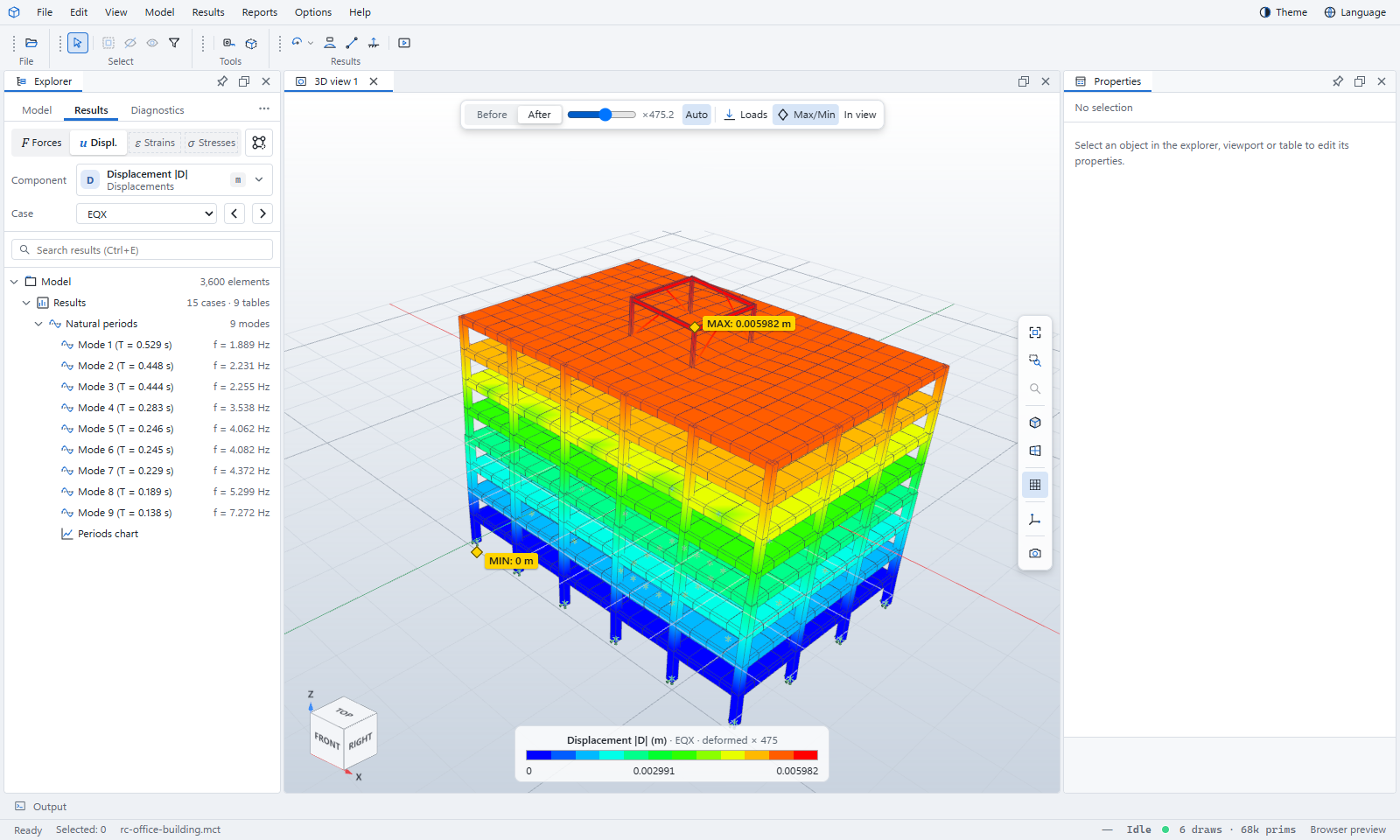
Files from the programs your team already uses
The results the program wrote, shown the way you expect
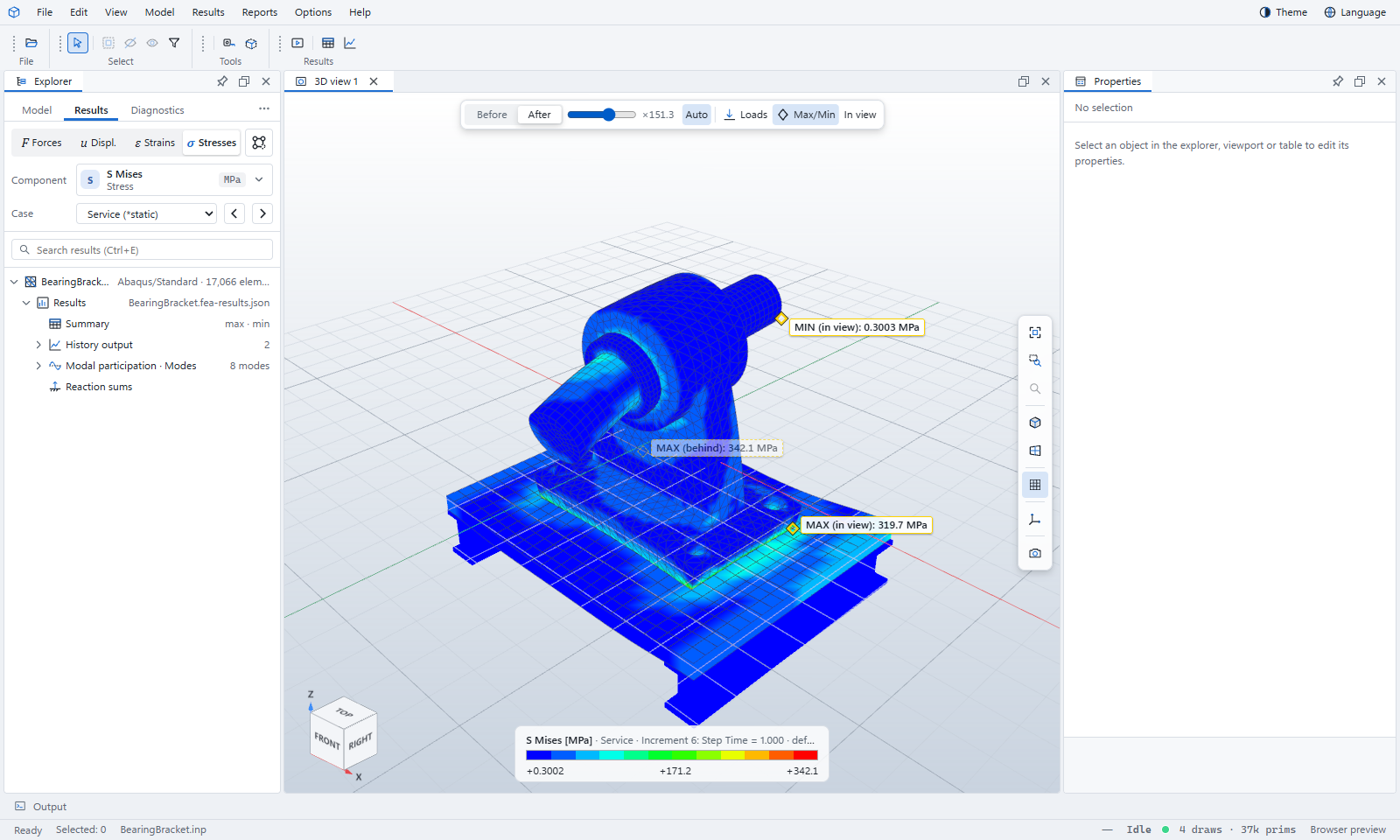
Pick forces, displacements, strains or stresses, then the component and the load case. The model is coloured, deformed and marked at its largest and smallest values — including the ones hidden behind other members.
- Only values the source program wrote: the Viewer never re-analyses your model
- Units shown beside every number
- Step through cases, modes and time steps, or play them
Check what was actually modelled
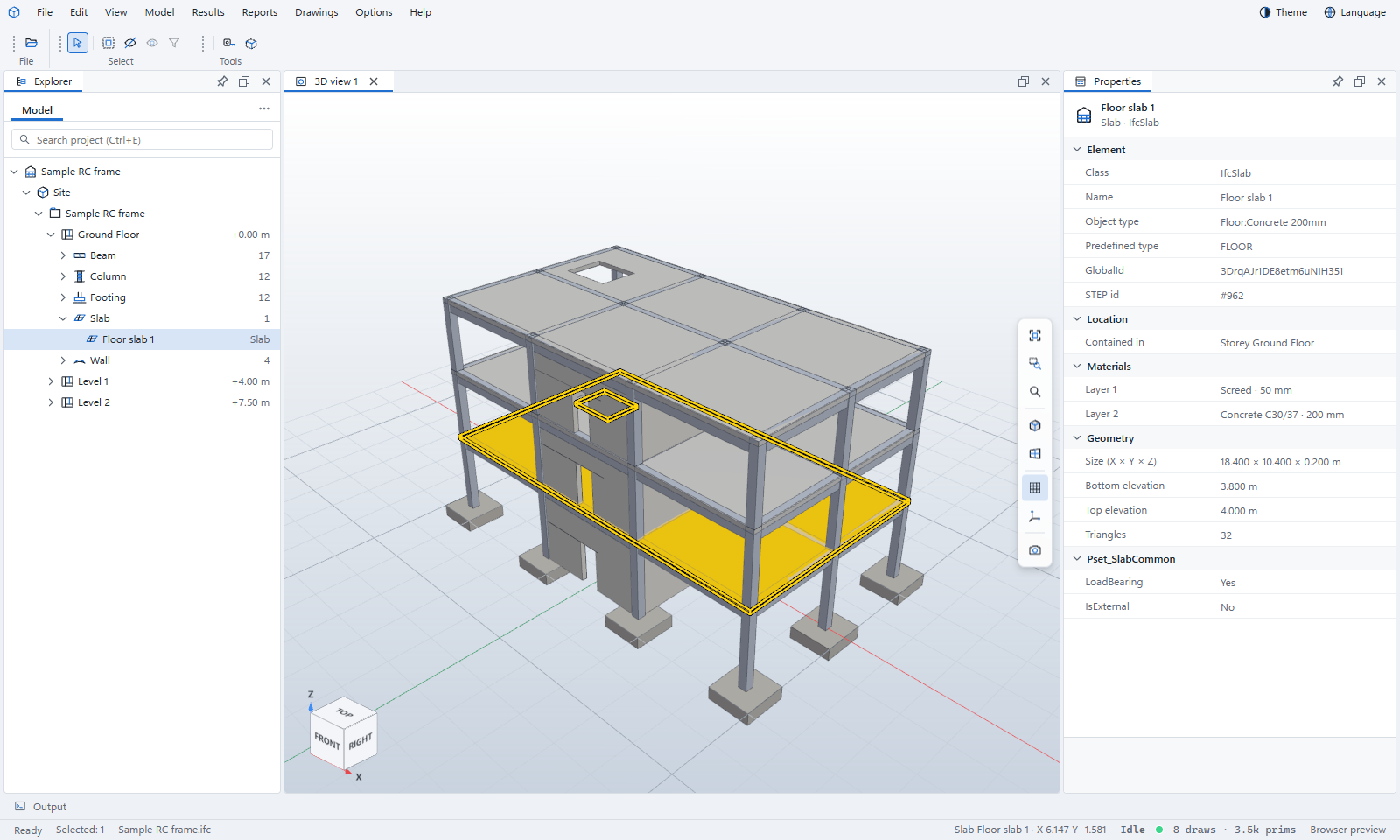
The Explorer lists the model the way its own program does: storeys, sections, materials, supports, loads and groups for MIDAS; parts, steps, interactions and constraints for Abaqus; sites, storeys and classes for IFC. Click anything to see its properties and where it is.
- Model check lists what looks wrong, such as unconnected nodes or missing properties
- Colour by section, material, storey, group or type
- Isolate, hide and display groups to see one part at a time
The numbers behind the colours
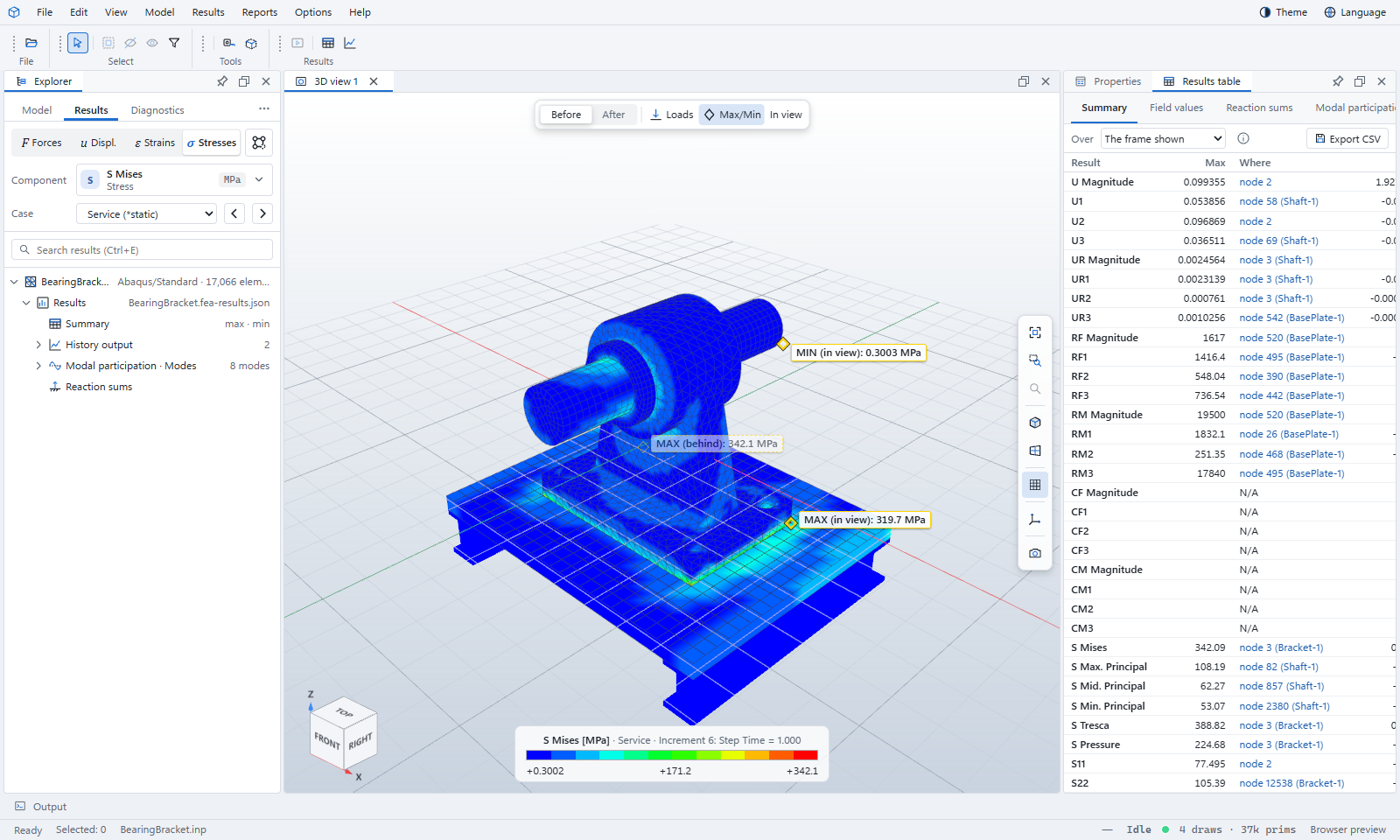
Every contour has a table behind it. Summary tables list each result's extreme and where it occurs; clicking a row finds the node in the model. Charts plot histories, mode participation and run channels. Export tables as CSV and charts as images.
Made for the people who check the work
Reviewers, checking engineers, clients and contractors often need to see a model without owning the program that made it.
Check a submission
Open the consultant's model and results, confirm the loads and supports, and find the critical members.
Review without a licence
Abaqus, MIDAS and ETABS seats are expensive. Reading their files is not.
Explain it to a client
Show the deformed shape, a mode or a time history playing, in a browser on any computer.
Keep the file private
Abaqus, IFC, OpenSees, OpenFAST and VTK files are read inside your browser and never uploaded.
Your models stay yours
Most files are read by your own browser. MIDAS, ETABS and Revit files are read on our server only for the moment it takes to read them: they are not stored, logged or looked at. No tracking, no advertising: the only cookies are the ones that keep you signed in.
How we handle your files →Read in your browser
Read on our server, then discarded
Learn it in an afternoon
Short tutorials use the samples that come with the Viewer, so you can follow along before you open your own files.
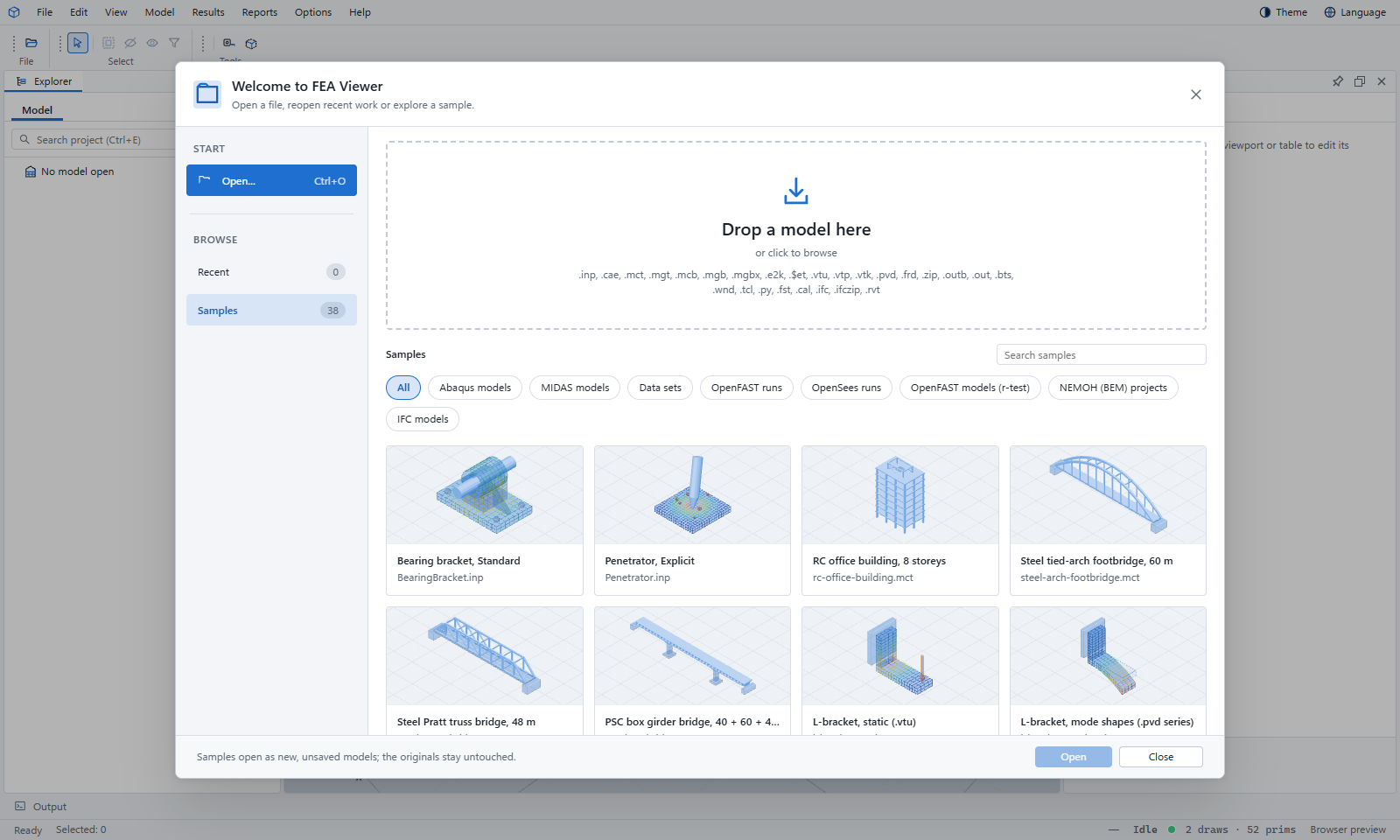
Open a sample now
The Viewer opens with a Start window full of samples: buildings, bridges, machine parts and wind turbines. Sign in with your invited account.